Stay Competitive
Learn how to stand out from the competition and keep your customers satisfied

Meet your DoorDash Assistant
It finds what’s holding your store back and takes care of it for you, automatically, right in your Merchant Portal. No guesswork. No extra effort.

Road to Most Loved: What drives top-performing stores on DoorDash
Understand how your store is performing on DoorDash and what you can improve next.

Make Strategic Business Decisions Using DoorDash Reporting
Learn how to use data in the Merchant Portal to increase sales and provide a better customer experience.

What Is the DoorDash Business Manager App?
The DoorDash Business Manager app lets you manage your store on the go. From your Android or iOS device, you can make updates to your menu, keep your customers informed of changes, and review feedback.
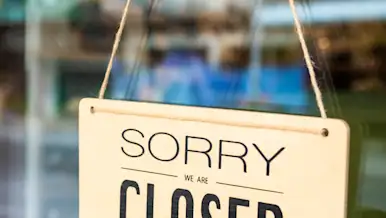
How Do I Fix a Temporary Deactivation and Reopen my DoorDash Store?
If your store is temporarily unavailable on DoorDash, it's usually because your DoorDash Tablet or POS lost connection or orders weren't being fulfilled as expected. This article explains why temporary deactivations happen, how to reopen your store in minutes, and how to prevent future pauses.

How Do DoorDash Ads and Promotions Work in the Merchant Portal?
DoorDash Ads and Promotions are paid marketing tools you can manage in the Merchant Portal. Ads increase your store's visibility in search and browse results, while Promotions offer discounts or deals to customers. This article explains the available campaign types, how pricing works, and how to set up and manage campaigns.