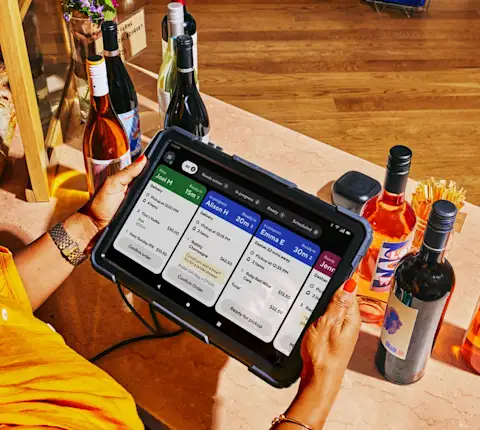
What is the Drive On-Demand unified portal?
The Drive On-Demand Unified Portal is a section of the Merchant Portal where merchants can review active orders, update order details and reschedule/cancel orders all in one place.
I've only used the Drive portal — how does this affect me?
If you previously used the Drive Portal, you'll now manage Drive orders from the Merchant Portal using the Unified Orders list. Your access depends on which accounts your stores are associated with.
Which login credentials should I use?
All stores on Marketplace: Use your Marketplace login to see Drive and Marketplace orders together.
Only some stores on Drive: Use your Drive credentials to view those orders.
How do I unify my portals?
To unify portals, you need equivalent Drive On-Demand and Marketplace stores with identical addresses. Then:
1. Create a spreadsheet with the following information:
Business Name | Marketplace Business ID | Marketplace Store ID | Drive Store ID |
|---|---|---|---|
[Your business name] | [000000000] | [000000000] | [000000000] |
2. Download the spreadsheet as a .csv or .xlsx
3. Email this saved spreadsheet to drive-support@doordash.com and set the subject of your email as
"[Business name] - [Business ID] - Unification Request"
Can I still see my Drive On-Demand orders after unifying?
Unifying on the store level will cause all current Drive On-Demand orders to populate on a business level view. You will not be able to access historic Drive On-Demand orders after unification.
How do I change which stores are unified?
Resubmit the Unification Template and email it to drive-support@doordash.com. Please update the store ID to match your new unification template.
Can I unify multiple portals?
At this time, you can't merge multiple Marketplace or Drive portals. We'll share updates if this functionality becomes available.
Which portal tabs apply to Drive On-Demand vs. Marketplace?
Tab | Drive | Marketplace | Notes |
|---|---|---|---|
Dashboard | ❌ | ✅ | Marketplace metrics only |
Insights | ❌ | ✅ | Marketplace only |
Orders | ✅ | ✅ | Includes Drive, Marketplace, Caviar, Storefront |
Marketing | ⚠️ | ✅ | Drive merchants can't create campaigns |
Menu Manager | ❌ | ✅ | Marketplace only |
Store Availability | ✅ | ✅ | Unified |
Bank Account | ❌ | ✅ | Marketplace only |
Financials | ❌ | ✅ | Marketplace only |
Manage users | ✅ | ✅ | Unified |
Settings | ✅ | ✅ | Unified |
How do I contact support?
Use Help in your Merchant Portal for account-specific questions
Contact Drive-On Demand Support for Drive On-Demand-specific questions.
For any other questions, you can reach out to Merchant Support.